For MSPs & IT teams ARM64 READY
Zero infrastructure. One USB. Windows ready in 15 minutes.
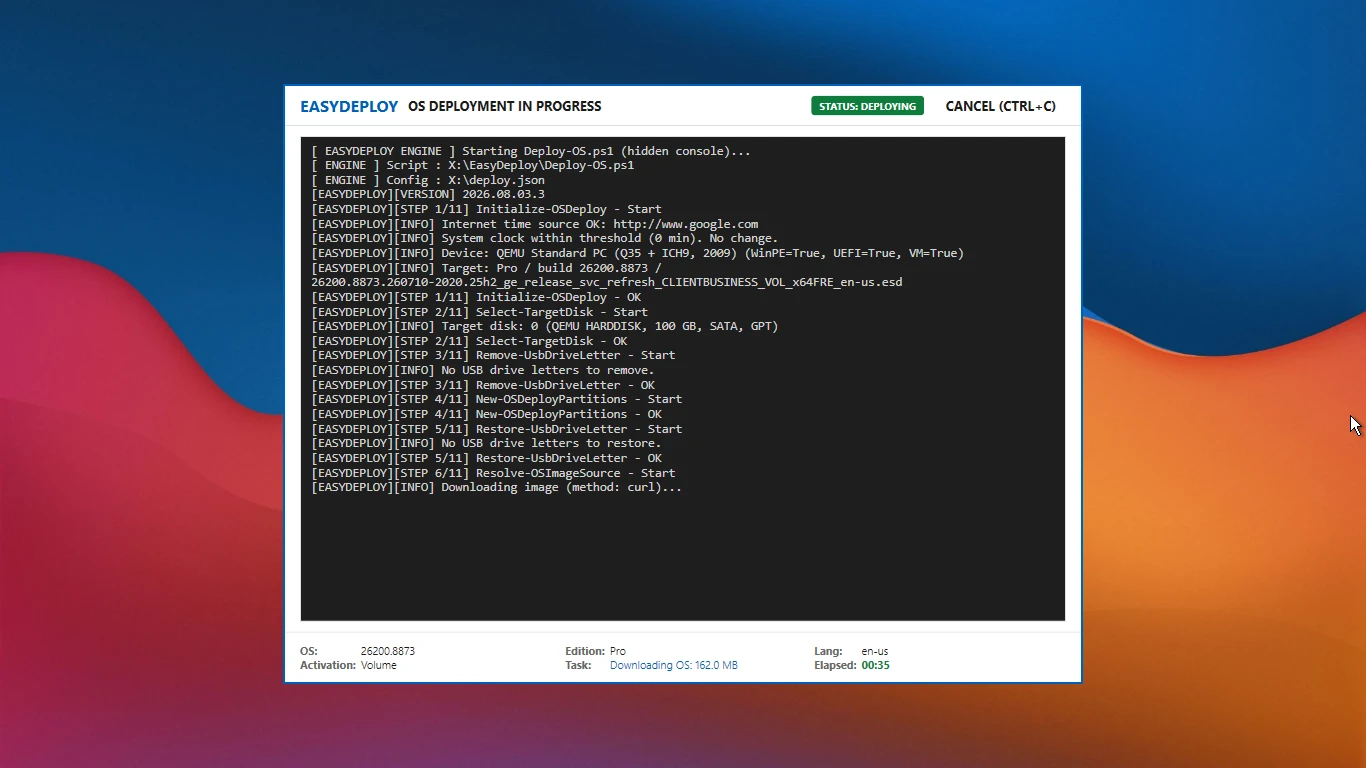
EasyDeploy turns a plain USB into a deployment platform — an 11-step WinPE engine that finishes in under 5 minutes and lands identically in every language, driven by a deployment-first UI built for mass rollouts. Junior technicians run it on their own at a fraction of the usual cost. Installs come straight from Microsoft's official channel with SHA-256 verification — clean, legal, fast. When scale grows, ZeroTouch (Advanced) runs full batches unattended.
Why EasyDeploy?
MDT is retired — the gap is wide open
Microsoft retired MDT in January 2026 — no updates, no support, installers gone from official channels. EasyDeploy inherits the pure-imaging workload MSPs still need.
Enterprise tooling is overkill here
Most PCs in the region ship with Home SL at best — or no OS at all — and FDI factories need offline control. EasyDeploy is sized for exactly that, without the enterprise-tooling overhead.
Shockingly fast — 15 minutes per machine
Under 5 minutes for the engine, ~10 minutes of automated post-install — versus 90–120 minutes the conventional way. The same result in every language, and ZeroTouch (Advanced) runs the whole flow on boot.
So simple: "if you can boot a USB, you can deploy"
Junior staff deploy on their own; senior engineers stay on higher-margin work. That's the economics EasyDeploy solves for MSPs.
Transparent & legitimate
Installs from Microsoft's official channel, SHA-256 verified, with a self-verifying trust chain — no shady WinPE images, no legal risk for you or your customers.
Ditch the old-school install process
| Conventional way | With EasyDeploy | |
|---|---|---|
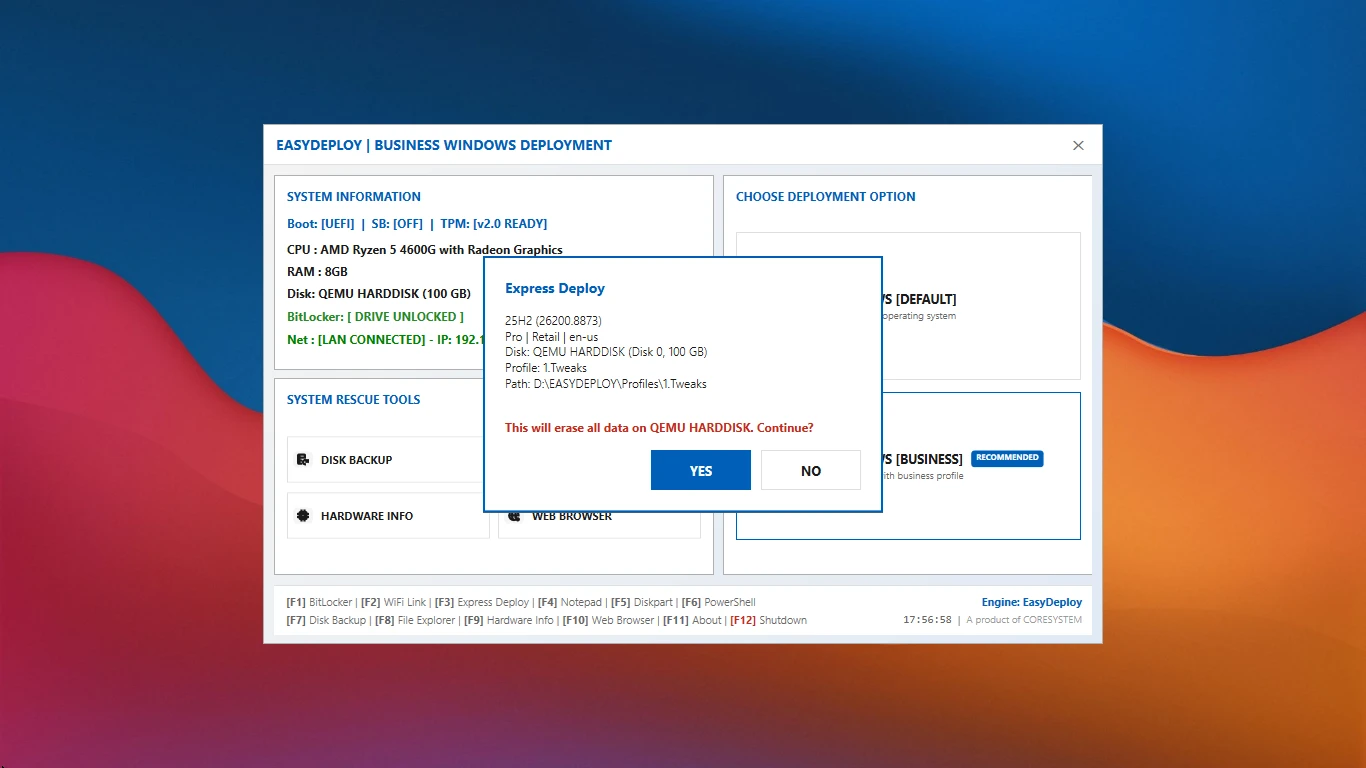
| Effort | Burn ISO → manual install → click through OOBE | Boot USB → F3 + confirm → engine runs 11 steps automatically |
| Post-install | Registry edits, bloatware removal, workspace tweaks — per machine | Standard profile injected automatically — identical every time |
| Unfamiliar languages | Depends on the technician's skill — the rarer, the slower | Engine runs the same way in every language |
| Time per machine | 90–120 minutes | 15 minutes, automated |
What's inside EasyDeploy?
Engine built for mass deployment
An 11-step closed loop from partitioning to profile injection — under 5 minutes per machine, batch after batch, without drift. About 15 minutes end to end.
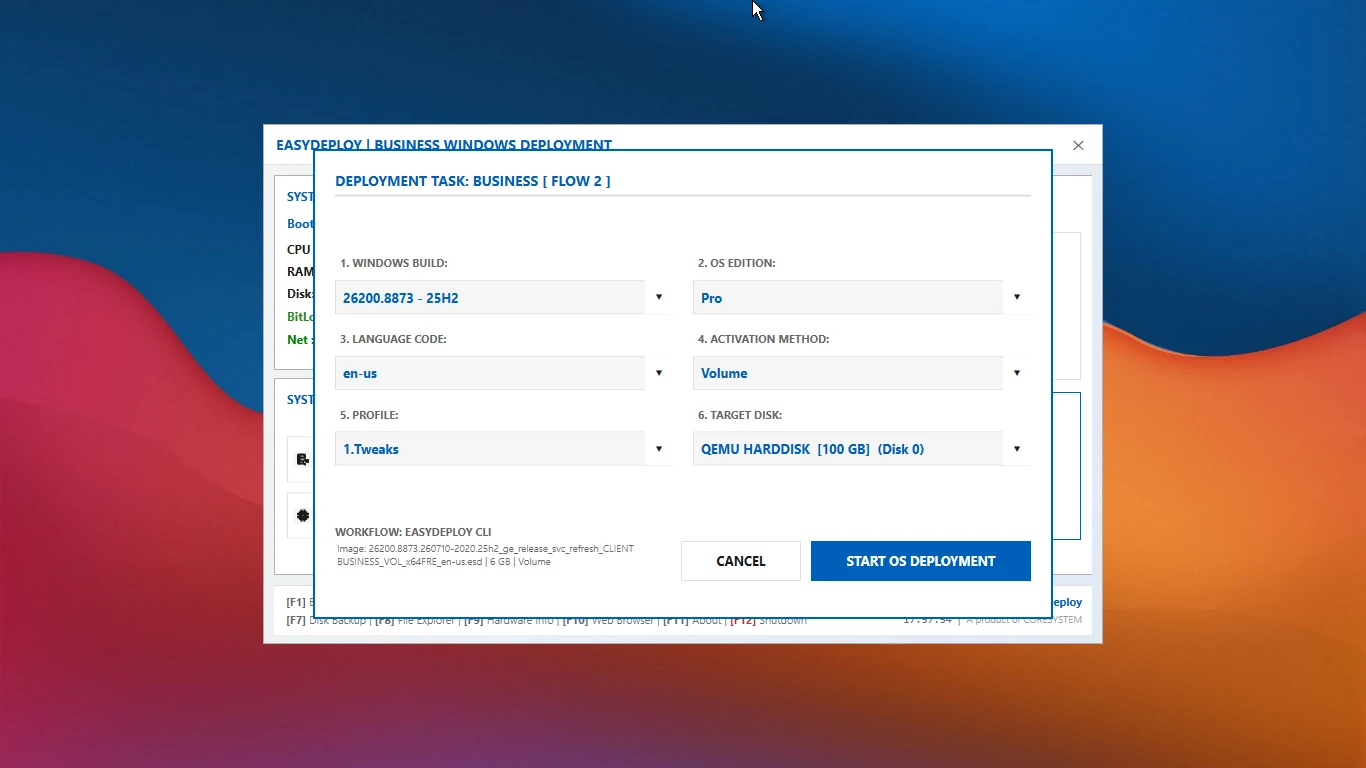
Standard | Business | Express | ZeroTouch
Four flows. Express (F3) is two key presses for labs and branches; ZeroTouch boots and runs hands-off; the OS Configurator auto-selects the newest build.
Deployment-first UI/UX
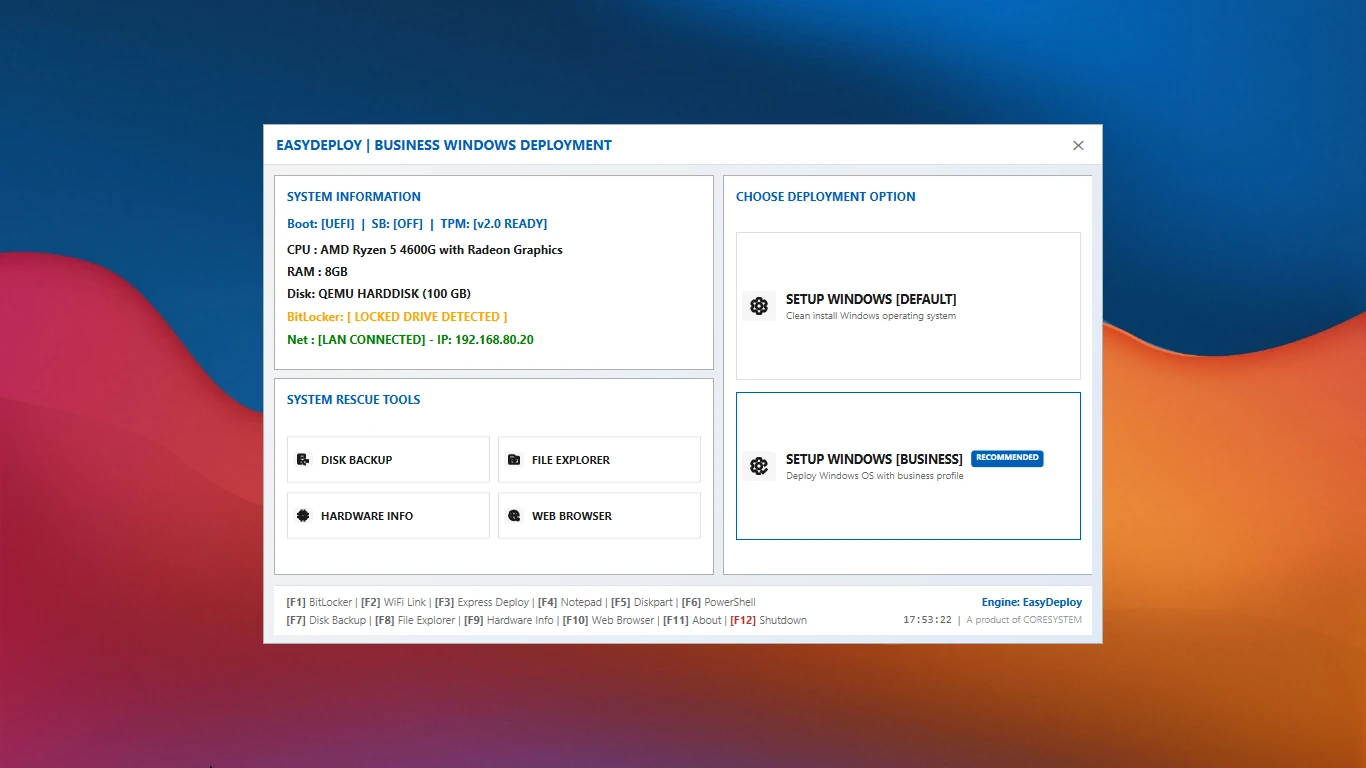
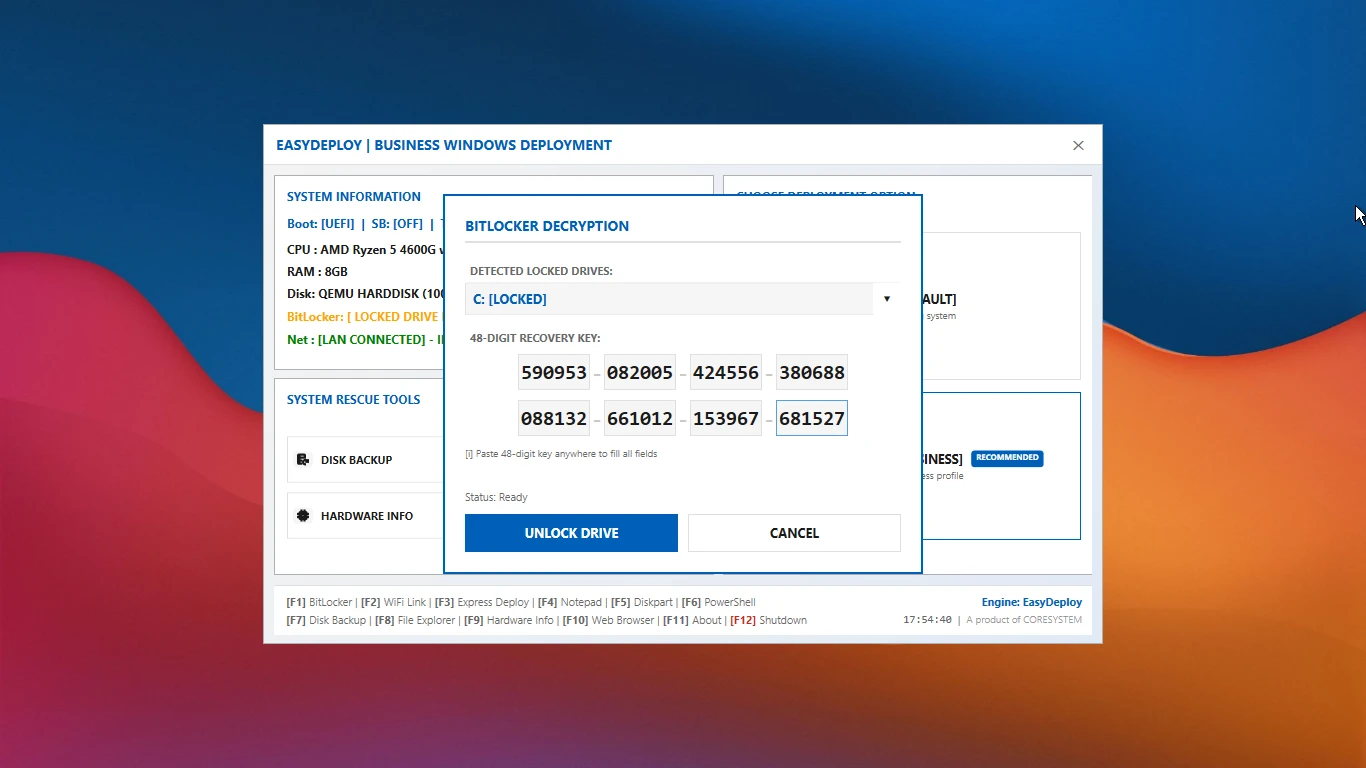
Redesigned around deploying: three flows with one-key launch, live LAN & BitLocker status, light/dark themes (dark by default).
Same in every language
English, Japanese, Korean, Chinese and more land an identical image — no scripting or specialist skill; junior staff run it unattended.
USB-based, offline-first, server-free
Boot from one USB. Offline-first OS source with cloud fallback — no backend, no server to set up or maintain.
Optional rescue tools
Not the focus — BitLocker, Wi-Fi, Diskpart, PowerShell, Backup and Explorer sit one key away in the Tools menu, plus Autopilot hardware-hash capture and an offline Event Log viewer.
BootBuilder
Build custom ISO/USB/WIM for x64 or ARM64 targets — vendor drivers, Secure Boot (CA2023) and a WinPE trimmed from WinRE — in a few clicks instead of weeks of WinPE research.
Security & integrity
Installs from Microsoft's official channel, SHA-256 verified. BootBuilder verifies its own signature (fail-closed) and verifies EasyDeploy.exe before building media, and deploys are BitLocker-aware. Licenses bind to USB-SN; profile encryption available; High Performance is engaged at deploy start on laptops.
Self-host & autonomy (MSP Advanced)
Own your infrastructure — self-host the OS catalog, ESD and inventory endpoint, or unify them with the AIO Workbench. CoreSystem collects nothing.
Pricing
EasyDeploy is made to be adopted, not sold — the free-forever edition is the complete deployment platform. MSP Advanced doesn't add deployment power; it adds management and autonomy for MSPs running their own infrastructure.
Free
Free forever
- 3 deployment flows: Standard | Business | Express
- Default cloud catalog
- WIM support for existing WDS server
- Unlimited ISO customization with BootBuilder
- 2 profiles included (1.Tweaks, 2.TweaksApp)
- Mass deployment with Express Deploy (F3)
- Portable app customization
- Autopilot hash capture (WinPE → Intune CSV)
- Basic stats via CSV export
- Docs-only support — right here on this site
MSP Advanced
Annual — per USB-SN batch
- Everything in Free, plus management & autonomy:
- Self-hosted OS catalog & ESD — run from your own infrastructure
- Self-hosted inventory endpoint — collect deployment records on your own server
- Unified AIO Workbench — inventory, catalog, profiles and reporting in one on-prem service
- Unlimited profiles + profile encryption
- ZeroTouch (boot USB → done)
- Email support (core features only)
Core features are EasyDeploy and BootBuilder. Self-hosted catalog, ESD and inventory endpoints are operated by the MSP and out of support scope.
AIO Workbench is a private-first on-prem server that unifies inventory, catalog, profile management and reporting for MSPs that need a self-hosted control plane.